For Owners
 For Sales
 For Production
 For Finance
 Presentations
 Shops
 Product Mockups
 Client Portals
 Product Search
 CRM
 Decorator Matrix
 Suppliers
 Navigation & Dashboards
 Production Management
 Reports & Analytics
 commonsku Payments
 Essentials
 Advanced
 Enterprise
 Customer Stories
 Events
 Blog
 eBooks
 skucast (Podcast)
 Ask skucast
 Webinars
 ROI Calculator
 FAQ


SECTIONS
RELATED RESOURCES

Print on Demand Shops: 3 Merch Programs You Can Run With No Inventory
"Can we get one in a medium for the new hire?"
"Every family on the team needs to order their own."
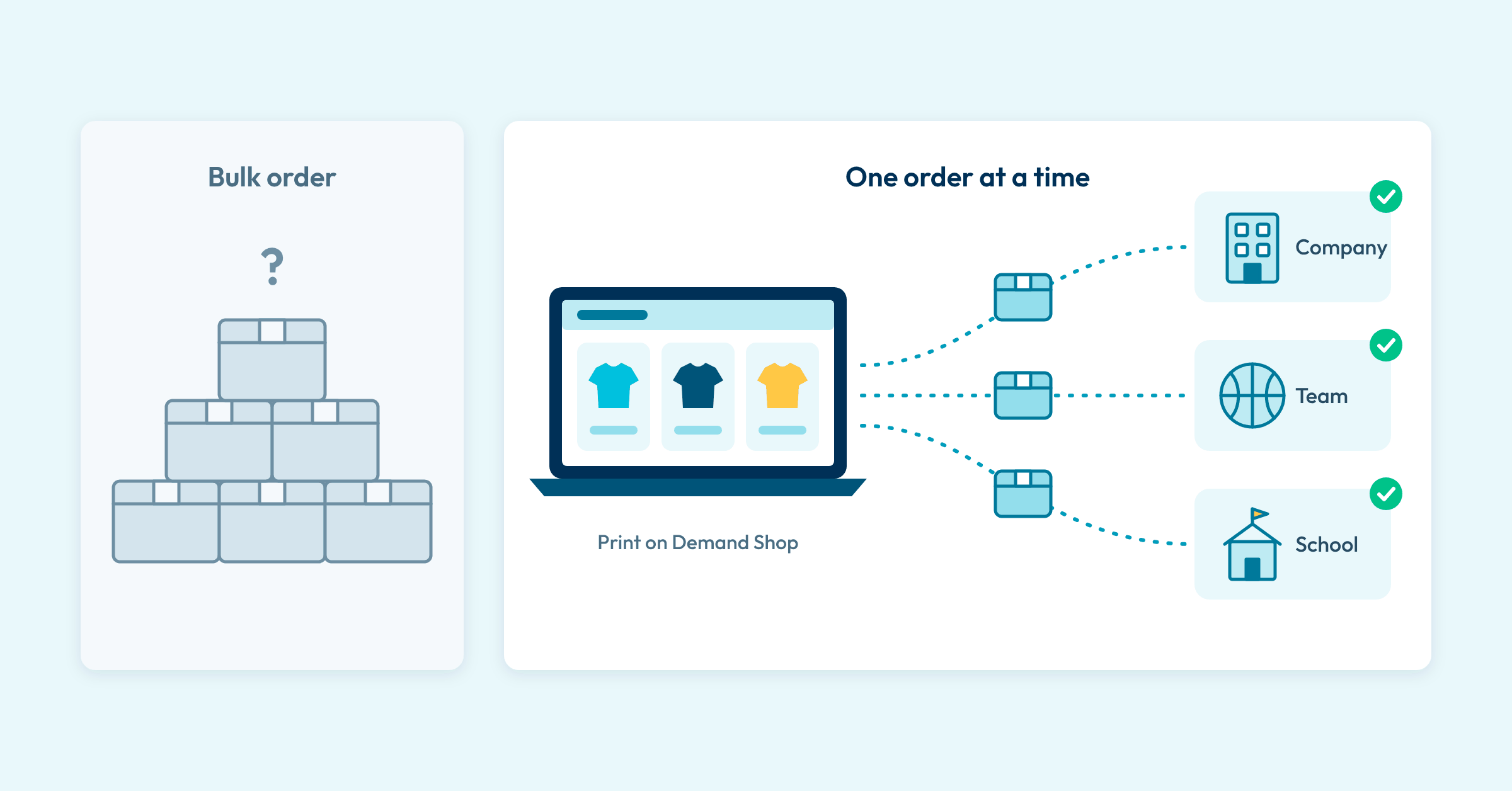
So how many should you order? Nobody knows. The demand is real, but it shows up one order at a time.
Until now, a program like this left you with two options. You could order in bulk and hope you guessed right, or you could point the client to a Print on Demand site and let the program run somewhere else.
Print on Demand means nothing is made until someone buys it. Each order is decorated and shipped on its own, so there are no minimums and no inventory to buy up front.
Print on Demand Shops bring that to commonsku. They're a new Shop type connected to STAHLS' Fulfill Engine: when a shopper checks out, Fulfill Engine's Decorator Network decorates that one order and ships it to them, while the shop and the purchase order (PO) stay with you in commonsku.
Below, we'll walk through three programs that fit (company stores, team stores and school stores), how each one runs, and how to get started, whether you're already on commonsku or just looking.
How Print on Demand Shops Work
Every checkout is its own order, from cart to doorstep.
The shopper checks out and pays. A Print on Demand Shop always collects a shipping address and calculates tax at checkout.
The order goes to Fulfill Engine with its product information, artwork and shipping details, and a PO for that checkout is created in commonsku automatically.
Fulfill Engine decorates the piece, and the order's status moves from New to In Progress. Its standard is five business days from order to shipment.
Fulfill Engine ships it, and the carrier and tracking number come back to commonsku.
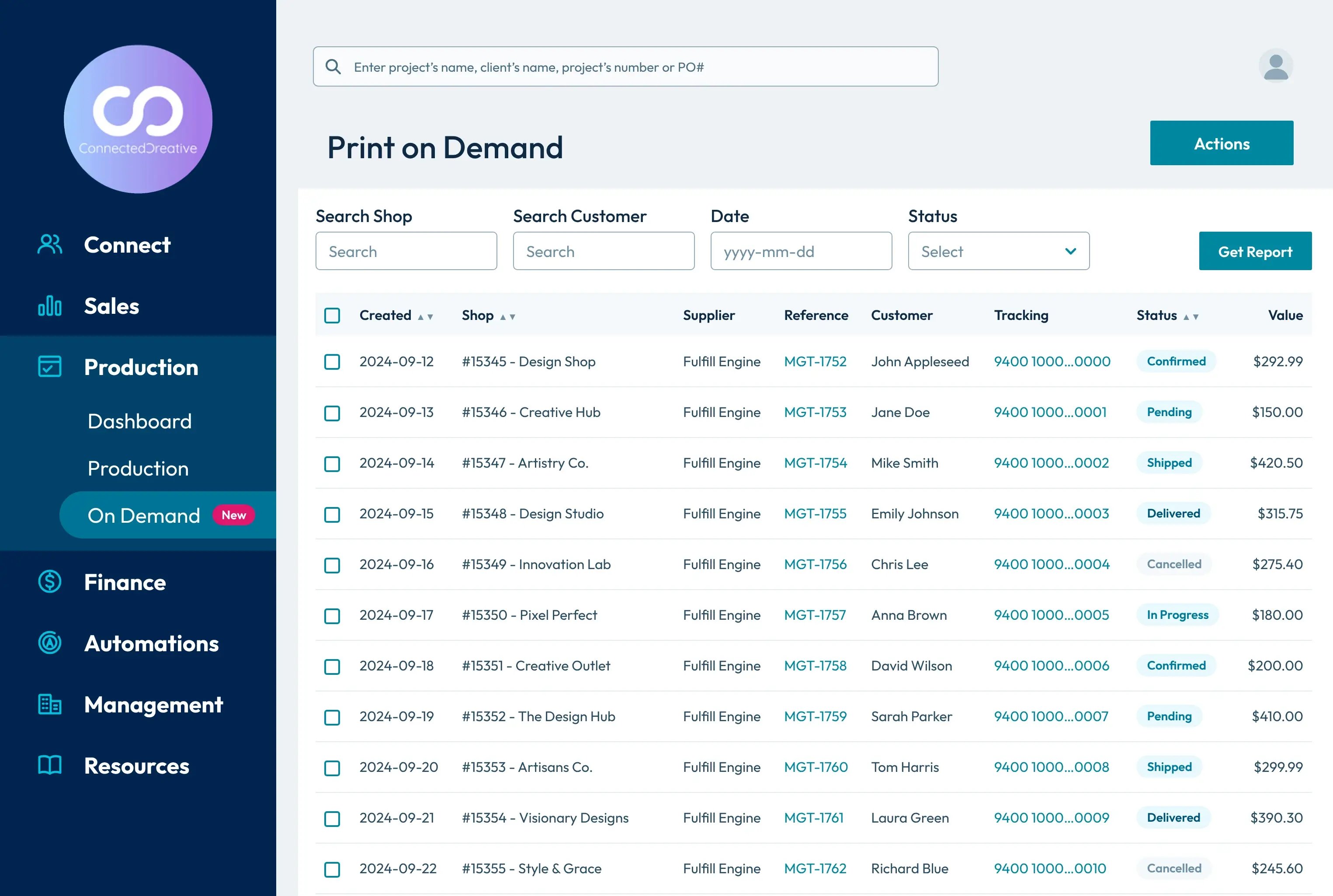
When a client asks where an order is, you can check the Demand center. Every Print on Demand order shows up there, and you can filter by shop or by status. Each shop also has its own Orders tab.
Print on Demand Shop or Pop-up Shop?
Both live in Shops. The difference is how orders get made.
| Print on Demand Shop | Pop-up Shop | |
|---|---|---|
| Best for | Ongoing, unpredictable demand, like a store that stays open all year | A set ordering window, like a seasonal drop |
| Products | Fulfill Engine's apparel catalogue, decorated with embroidery, DTF or DTG | Any of your regular suppliers |
| Orders | Every checkout is made and shipped on its own | Checkouts can be combined into one bulk order |
| Purchase orders | Created automatically for each checkout | You create them |
| Shipping | Fulfill Engine ships to each shopper (US addresses only) | Your supplier ships |
Running a seasonal drop for a team? A Pop-up Shop still fits. Keeping an employee store or school store open all year? That's what a Print on Demand Shop is for.
1. Company Stores (Employee Stores)
A company store on Print on Demand lets employees order branded apparel whenever they need it, with nothing bought or stored ahead of time.
A new hire needs a jacket on their first day. A few months later, someone else wants another shirt. Requests like these are small and don't come on a schedule, which makes them awkward to run as a bulk buy.
In a Print on Demand Shop, each checkout goes straight to Fulfill Engine, which decorates the piece and ships it to the address the employee enters. You don't buy stock ahead of demand or store what's left over, and every order still arrives in commonsku with its own PO.
You also don't need the full range ready on day one. The shop can take orders as soon as a single product has been validated, so you can open with one logo piece and add more as each item is approved.
2. Team Stores
Team gear usually means a lot of small orders. Players and parents each want to pick their own item and pay for it themselves, and collecting all of that by hand takes time.
A Print on Demand Shop handles that part for you. Each person checks out and pays on their own, and each order is decorated and shipped to the address on that order, so you don't have to assemble a bulk order or split up boxes at practice.
Before you open the store, plan for artwork and shipping.
You upload the artwork, since shoppers can't add their own, and each a preferred decoration method. Currently, this integraiton supports the following methods:
-
Direct-to-film (DTF)
-
Direct-to-garment (DTG)
-
Embroidery
Orders can only ship to US addresses right now, so check where your shoppers are before the link goes out.
3. School Stores
To run a school spirit wear store without inventory, open a Print on Demand Shop for the school: families order and pay online, and each piece is made and shipped on its own.
Spirit wear is hard to forecast. Demand changes with the season, and a bulk order means committing to every item and size before anyone has bought a thing.
A Print on Demand Shop lets a school, or its parent group, offer spirit wear one order at a time. Each buyer pays at checkout and enters their own shipping address, and each order is made and shipped on its own.
To set it up, create the shop with the school as the client and brand the storefront in the shop's Design area. Fulfill Engine validates each product before it goes live, and you can follow every order in the Demand center in commonsku.
What to Know Before You Launch
A few limits decide whether a program fits, so it's worth checking them before you pitch it to a client.
You'll need a STAHLS' Fulfill Engine account. Before getting started with Fulfill Engine, here are some things to note:
-
There's no monthly fee to set up an account.
-
Products come from Fulfill Engine's catalogue and are limited to apparel decorated with embroidery, DTF or DTG. Apparel is currently the only product type supported by this integration.
-
Orders can only ship to US addresses, and that applies to Canadian distributors too.
-
There's a Print on Demand Shop fee for each checkout, and Fulfill Engine invoices you separately for production costs.
New to commonsku?
If you're not on commonsku yet, Print on Demand Shops are one part of the platform. Built for the promotional products industry, commonsku connects customer relationship management (CRM), order management and eCommerce in one place, and more than 950 distributors run their business on it. Print on Demand orders come with their own PO and tracking, in the same system you use to run the rest of your business.
If you're getting requests like these, book a call with our team to see whether commonsku is a fit for your business.
Start With the Program Your Client Already Runs
Company stores, team stores and school spirit wear all sell one piece at a time. With a Print on Demand Shop, you can take them on and keep them in your business, while STAHLS' Fulfill Engine decorates and ships each order.
Get started
Create your Fulfill Engine account
It's the first step to your first Print on Demand Shop. Once it's set up, connect it to commonsku and create the shop.
Create your Fulfill Engine account →Already on commonsku? Read the setup guide →
New to commonsku? Book a demo →
RELATED RESOURCES