
 For Owners
 For Sales
 For Production
 For Finance
 Presentations
 Shops
Shops
 Product Mockups
 Client Portals
 Product Search
 CRM
CRM
 Decorator Matrix
 Suppliers
 Navigation & Dashboards
 Production Management
 Reports & Analytics
 commonsku Payments
 Essentials
 Advanced
 Enterprise
 Customer Stories
 Events
 Blog
Blog
 eBooks
 skucast (Podcast)
 Ask skucast
 Webinars
 ROI Calculator
 FAQ
FAQ

SECTIONS
RELATED RESOURCES

From Pop-up to Program: What Happens After the Shop Closes
Your pop-up closed on time. The program starts here.
Say you built a Pop-up Shop back in April for a client. A regional credit union, forty branches, new logo, and they wanted every employee to pick a quarter-zip in their own size. You loaded six products, got the artwork approved (two rounds, because the marketing director wanted the logo smaller), set the shop to close in two weeks, and sent them the link. Orders came in, you batched them into one sales order, the PO went to the supplier, the invoice went out. Good project.
Then the shop closed, because you set a date and the date came.
That's how most Pop-up Shops end on commonsku, and there are a lot of them. Pop-ups are by a wide margin the most-created shop type on the platform, and nobody has to talk distributors into building them. What we see far less often is what happens next with that credit union, which is what this post is about.
What You Already Proved
Go back and look at what that one pop-up told you.
The client will buy from a storefront rather than emailing someone a spreadsheet of sizes. Your product picks were fine, or close enough that you know which one to swap. The artwork is approved and sitting in the shop. And the whole order moved through commonsku, from checkout to sales order to PO to invoice, without anyone on your team retyping a line item.
If a new client walked in tomorrow asking for a merch program, you'd have to find out every one of those things from scratch, and you'd spend most of your setup hours doing it. The product research, the approval rounds, the "so how does ordering work" conversation. That's where the time goes. The storefront itself is maybe twenty minutes.
The pop-up wasn't a small job. It was the expensive part of a program, and you've already done it.
The Close Date Is a Setting
This is where I'd push back on the default. When that credit union's HR lead emails you in November asking whether they can get more quarter-zips for the new hires, the usual response is to build a new shop, or to quote it as a one-off order and sort sizes over email. Both of those redo work you finished in April.
You have two other options, and which one fits depends on how the client is going to order.
If they'll order in bursts, say a new-hire batch each quarter and a holiday round, leave the Pop-up Shop open. The close date is an optional field. Leave it empty and the shop keeps taking orders, and you batch the checkouts into a sales order on whatever schedule makes sense. Same shop, same link, same artwork. You just stop closing it.
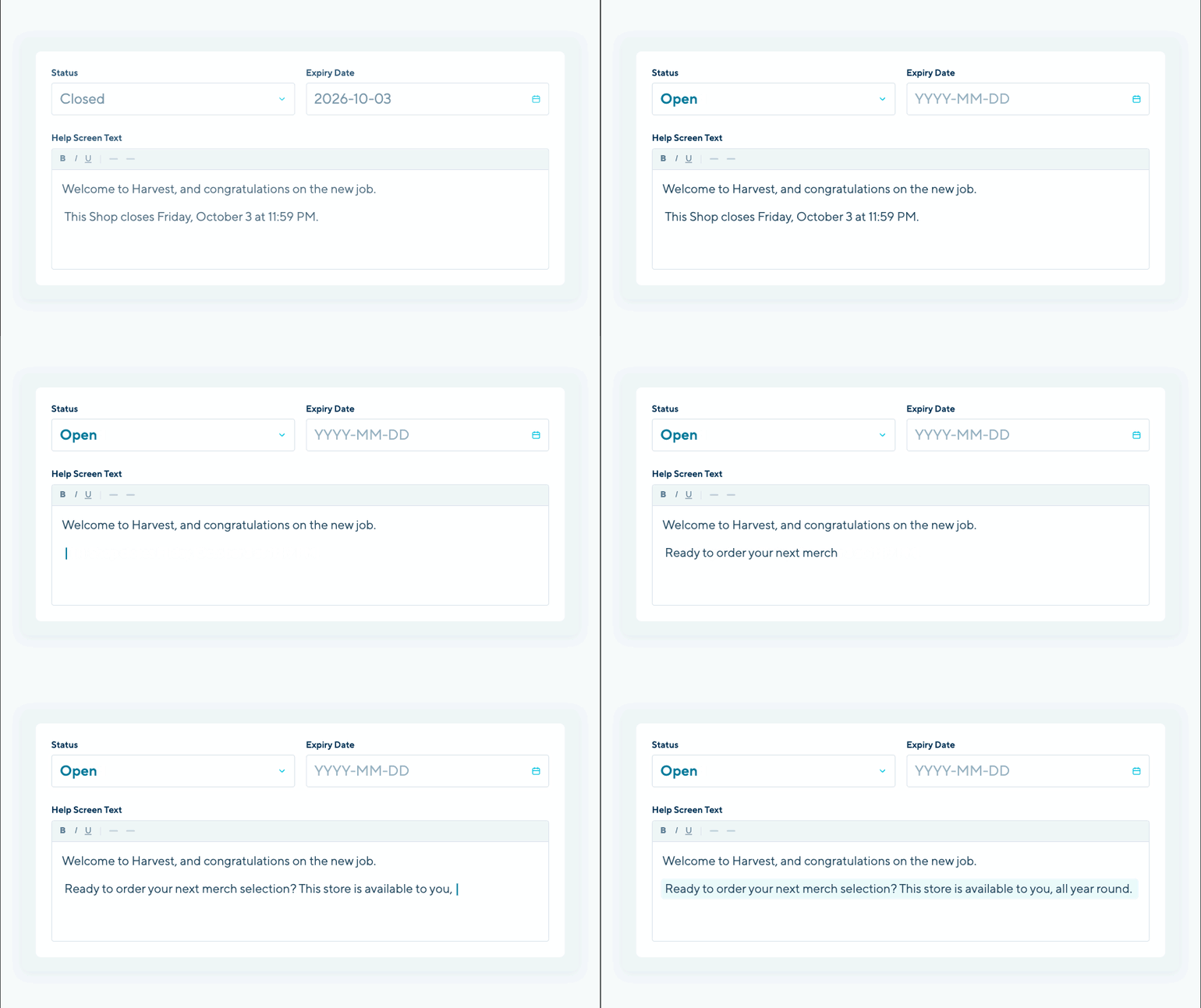
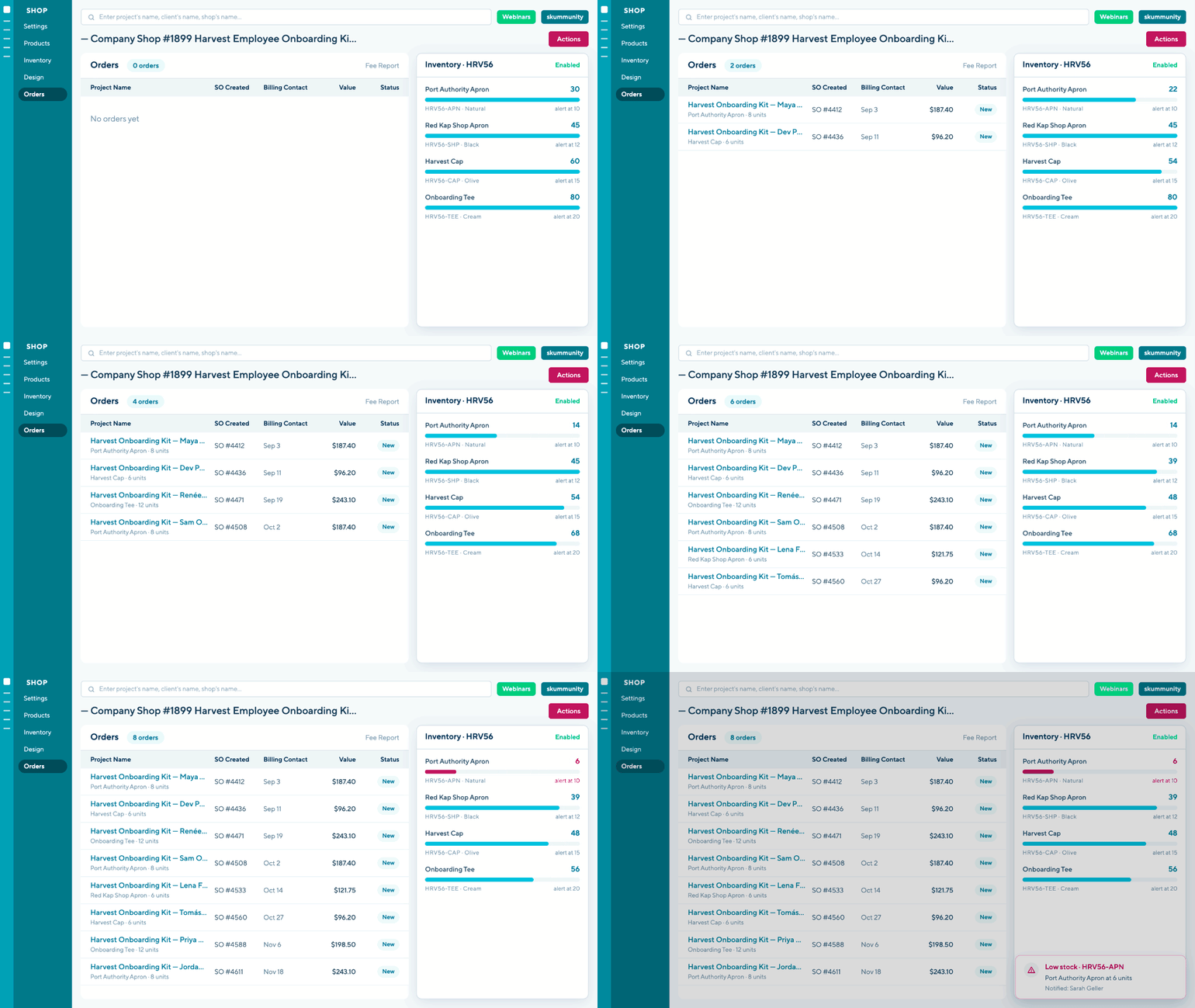
If they'll order steadily and want it to feel like their store, a branch manager placing an order for three people on a Tuesday, that's a Company Shop. The difference is in how orders come through.
Getting from one to the other isn't a rebuild. Copy the shop, choose Company Shop as the type, and the products and the shop design come across. You re-attach the approved artwork and rebuild any checkout questions, which is minutes of work against the weeks the first shop took.
Why the Second Shop Costs Less
I mean in hours, not fees, though the fees matter too and I'll get to them.
The first shop for any client carries the product research, the artwork rounds and the conversation about how ordering will work. The second shop for the same client carries almost none of that. The approvals exist. The catalogue exists. The client already knows what a commonsku checkout looks like. You're mostly copying and reviewing.
On fees: running a program for the credit union and another for the dental group and another for the brewery doesn't triple your platform cost. On a lot of store platforms it would, and pricing like that makes you ration shops. Ours is set up so you don't have to.
A live shop isn't zero work, and it's worth saying so. Supplier costs move, a product gets discontinued, somebody orders off a page nobody has looked at since March. Someone on your team owns that. But it's maintenance rather than construction, and it's the same maintenance whether the shop is a pop-up you kept open or a Company Shop you copied it into.
Which Client to Start With
The easiest test: which pop-up have you built twice for the same client?
That second one is the client telling you they have a program. They just told you in the form of another campaign.
The next best signal is the client who once asked whether their team could "just order whenever" and you said you'd look into it.
And after that, anyone who reorders by email. Every one of those emails is a sales order that could have created itself.



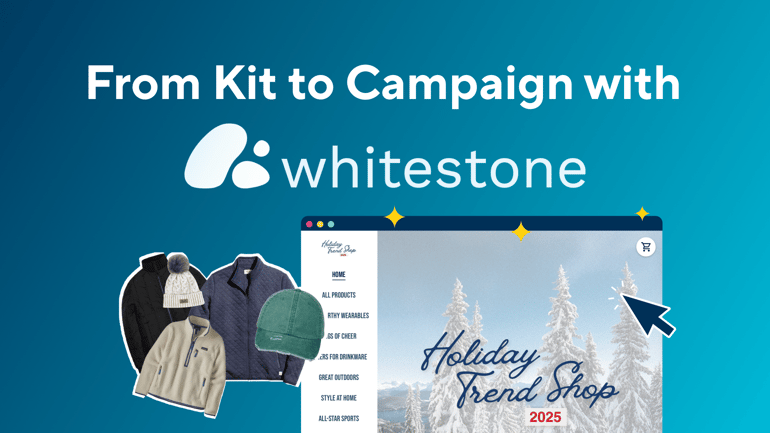
If you want to see what the habit looks like once it's set in, open Whitestone Branding's Trend Shops page. Holiday 2025 is still live, sitting beside Holiday 2026. That isn't a shop nobody got around to closing. The products are still good, the artwork is still approved, and someone who lands on it in March can still order. They run a whole library like that, and it's manageable because none of those shops needs a decision to keep existing.
CUSTOMER SPOTLIGHT
Whitestone's story in full, from kits to campaigns to the shop library: From Kit to Campaign: How Whitestone Uses commonsku Shops to Power Sales and Storytelling →
Start With the One You Already Built
You don't need a pitch for this. The conversation happens at the end of the pop-up you're already running, and it's about one sentence long: we can leave this open for you if it's useful.
If you're a commonsku customer, open your Shops list and look for the pop-up you've built more than once. That's the one. If you'd rather walk through the settings with someone, the Success team runs Shops consultations most weeks.

Ready to keep one open?
See how Shops works
Pop-up and Company Shops, and how a client store connects to the sales order, PO and invoice without a second system.
Explore Shops →Book a Shops consultation
Already on commonsku? Sit down with the Success team and walk through the settings on the shop you've built more than once.
Book a call →RELATED RESOURCES