
 For Owners
 For Sales
 For Production
 For Finance
 Presentations
 Shops
Shops
 Product Mockups
 Client Portals
 Product Search
 CRM
CRM
 Decorator Matrix
 Suppliers
 Navigation & Dashboards
 Production Management
 Reports & Analytics
 commonsku Payments
 Essentials
 Advanced
 Enterprise
 Customer Stories
 Events
 Blog
Blog
 eBooks
 skucast (Podcast)
 Ask skucast
 Webinars
 ROI Calculator
 FAQ
FAQ
SECTIONS
RELATED RESOURCES

The Ultimate Guide to Promotional Products Software
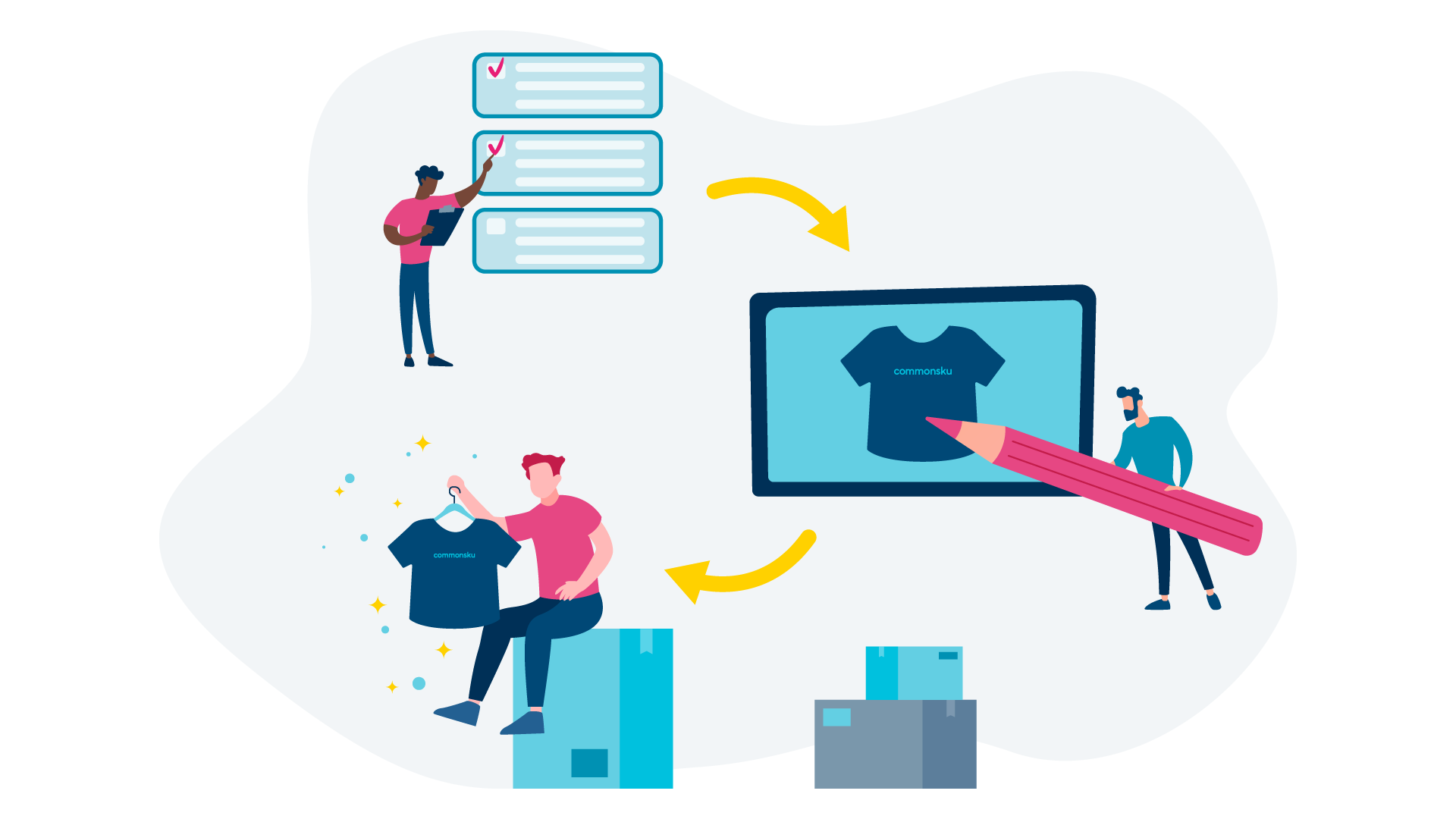
Researching promotional products software can be overwhelming — what do I need? What are the benefits? How much should I be paying?
Promotional products software is an incredible tool, but there are many different offerings to consider and evaluate along your journey.
You may just be getting into the promo industry and researching tools, or you might already have a software solution and are investigating new ones. Either way, this guide covers everything you need to know about promotional products software — what it does, what to look for, how to choose, and what to avoid.
What Is Promotional Products Software?
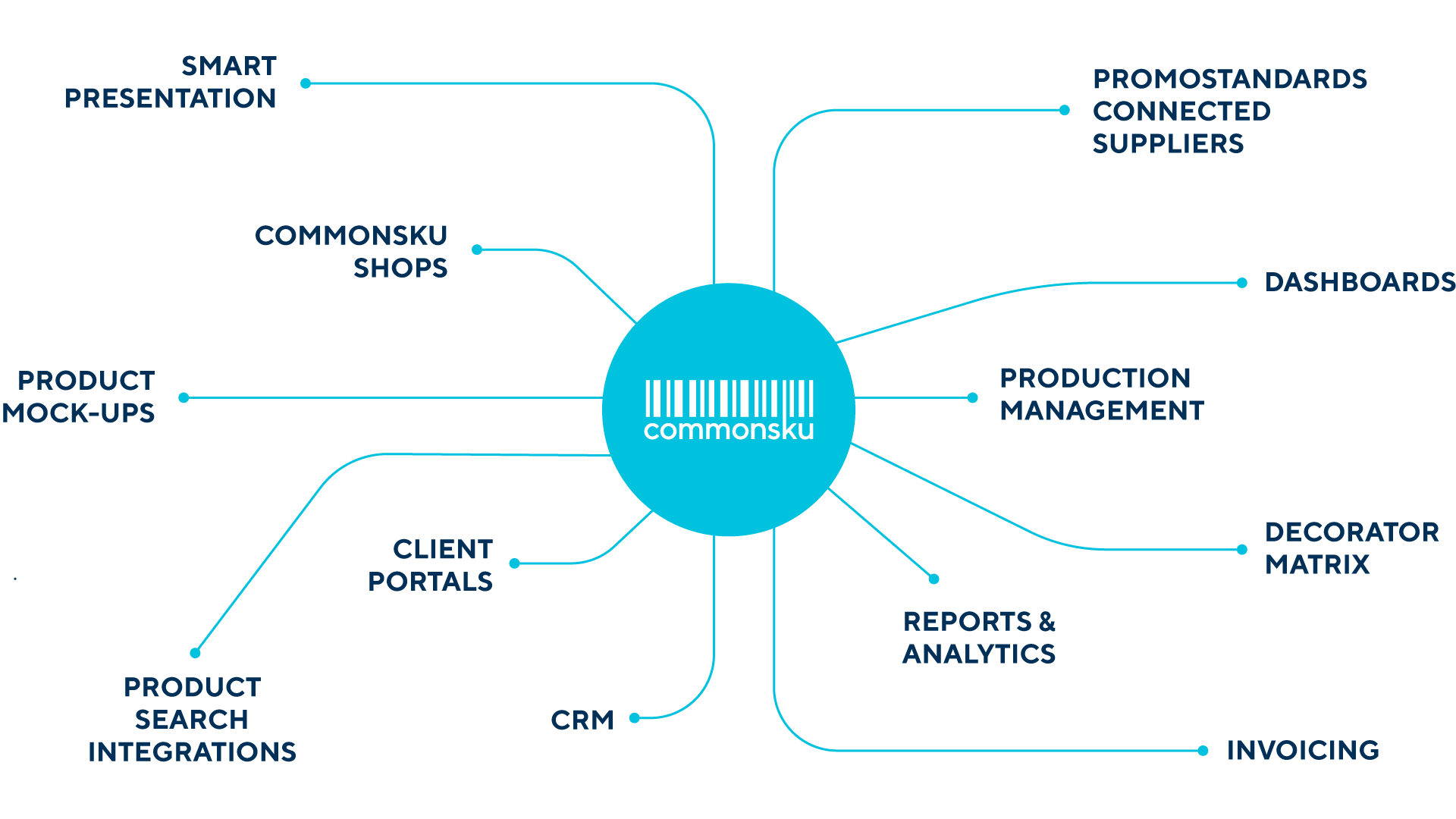
Promotional products software is a cloud-based platform that handles everything in your business — from client communications to order management and eCommerce shops. It's customizable, easy to learn, and streamlines your operations into a single hub.
There are many tools on the market that can do one or two of those things. But in order to be a lasting solution for you and your business, promotional products software should do all three: manage client relationships, handle orders from presentation to invoice, and power eCommerce.
An effective connected workflow platform holds all of your client communications and lets you easily configure orders — no more hundreds of emails back and forth. It lets you place orders with suppliers and track status all the way to delivery. And it gives your clients a self-serve, convenient ordering experience through online shops.
For example — Shopify lets you build shops and even manage your website, but it doesn't handle client communication or manage all of your orders. If you use Shopify, chances are you need an additional solution to suit all your business needs.
Why Distributors Need Promotional Products Software
The promotional products industry is complex. You have suppliers and orders to manage, customer relationships to maintain, and backend operations — taxes, credit card payments, online stores, HR — all stacking up as additional administrative work.
On a small scale, all of these aspects can be managed by you and your team. But if you want your business to grow, you need to find ways to make it all easier. The minute you have complexity, software becomes a necessity.
Promotional products software streamlines your operations. A great platform manages your entire business in one sophisticated hub, simplifies day-to-day work, enables team collaboration, and makes your data actionable.
For a detailed breakdown of what your software should do, check out this article.
Not all companies will need promotional products software — many small operations can work without one. But for companies that want to improve, grow, and streamline their business, it's essential.
Does Promotional Products Software Actually Work?
When you're ready to start growing, promotional products software is rocket fuel for your business. It provides your team with the tools they need to win more business and support clients like never before.
It's a complete level up — you go from creating PowerPoint presentations and manual order entries to customized, branded presentations and shops that convert to electronic purchase orders with a click of a button.
Here are three real-world examples:
- Outreach Promotional Solutions grew sales by 25% in their first year on commonsku — and reduced a full-time admin role to part-time by cutting manual order work in half.
- BrandFuel left their legacy ERP software and saved thousands of dollars.
- Williams Advertising transformed how they present to clients with promotional software.
Those aren't marketing claims — they're operational results from distributors who made the switch.
Ready to see what this looks like for your business? Book a demo →
Key Features to Look For in Promotional Products Software
There are several key features that a promotional products software needs to be a worthwhile investment. The best way to evaluate them is to think about how they affect your business on a day-to-day basis — categorized by a typical distributor's workflow.

Order Creation Tools
Product Search: Efficient product search functionality is essential for navigating extensive catalogs and finding the right products for your clients. Your software should integrate with multiple catalogs — ESP, SAGE, SAGE CONNECT, and DistributorCentral — and connect product search directly into presentations and online shops for a seamless workflow.
Product Mock-ups: The ability to create realistic product mock-ups is crucial for visualizing promotional items before they go into production. A platform equipped with AI-powered mock-up tools — like commonsku's Product Mockups — lets distributors showcase customized designs to clients in seconds, improving the customer experience and increasing order accuracy.
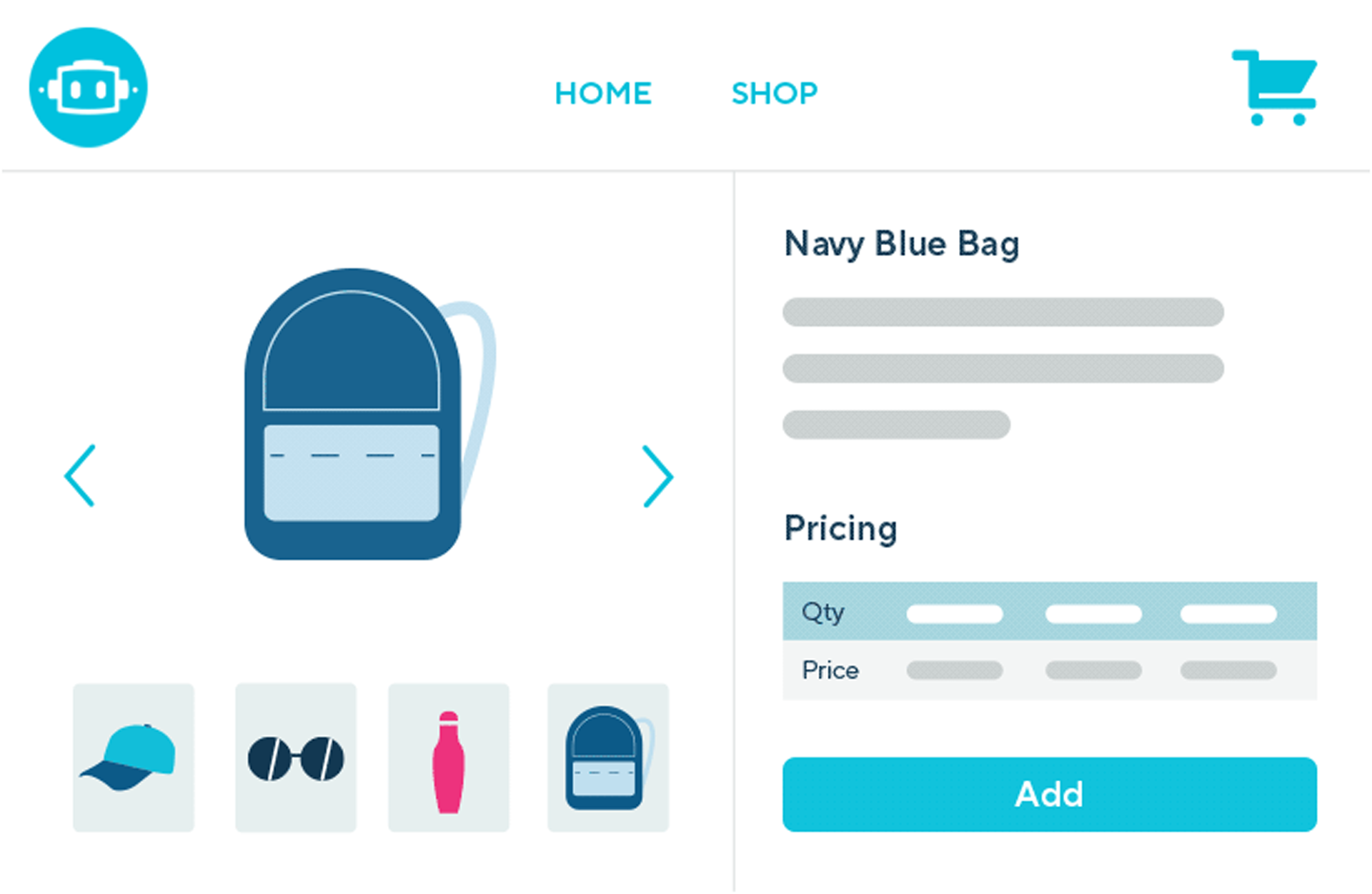
Online Shops: The platform should create customizable, user-friendly eCommerce shops where clients can browse products and place orders. These shops need to handle orders, process payments, and record transaction history — providing a frictionless experience for your clients.
Selling Tools
Presentations: Dynamic, visually appealing presentations are powerful selling tools. Your software should replace PowerPoint with presentations that pull products and pricing directly from your catalog integrations — no rekeying information, always up-to-date supplier pricing.
CRM Tools: Customer Relationship Management tools are integral to maintaining strong client relationships. Promotional software with CRM capabilities lets your team manage client interactions, track communication histories, and tailor strategies based on individual client preferences. The CRM system should replace email threads, allowing your entire team (based on roles) to view communications, stay in sync, and live completely in the software.
Order Management
Client Portals: Client portals provide a centralized hub for clients to track all their orders, view order history, submit reorders, and communicate with your team. Robust portal capabilities ensure transparency, customer satisfaction, and efficient order management.
Project Portals: Project portals serve as a comprehensive location for all communication related to a particular merch project — emails, comments, updates, and history in one place. This facilitates effective collaboration and minimizes errors across your team.
Role-Based Dashboards: Role-based dashboards create a watchtower for each role within your team, tailoring information to what matters most for that role. This ensures each team member sees the information relevant to their responsibilities, focuses their tasks, and improves overall productivity.
Production Management
Production Dashboards: Production dashboards provide real-time visibility into the status of all merch projects in production. Distributors can monitor production timelines, identify potential bottlenecks, and proactively address issues to ensure timely delivery.
Production Reports: Comprehensive production reports offer detailed insights into key performance metrics. Robust reporting capabilities let distributors analyze production efficiency, identify trends, and make data-driven decisions to optimize operations.
PromoStandards Integration: PromoStandards gives your team direct access to supplier databases with up-to-date product inventory and pricing. This integration is critical as merch projects progress through your workflow — submit electronic purchase orders directly to suppliers, and access real-time order status and shipment notifications. With PromoStandards, you'll experience fewer errors, less admin follow-up, and full order transparency with your suppliers.
Invoicing and Payments
Accounting Integrations: Smooth integration with accounting systems is essential for accurate financial management. Promotional products software with accounting integrations (QuickBooks, Xero, Avalara) automates invoicing, reduces errors, and keeps financial data synchronized across platforms.
Payment Integrations: Secure, efficient payment processing is critical. Integrated payment gateways (Stripe, CloverConnect) simplify the payment process, giving clients diverse payment options while ensuring distributors receive payments promptly and securely.
How to Choose the Right Software
Choosing the right software can be a daunting task. You want a solution that's the right fit for you, your clients, and your supplier partners — one that's user-friendly, feature-rich, and backed by a community that supports you.
Here are six steps to consider:
1. Map Your Current Process
How do you currently get new business? Take and place orders? Communicate with clients? Map out your current process before diving into a new one, to identify points of improvement and areas you don't want to change.
2. Determine Your Needs
Once you know your process, write out a list of your needs. Do you need an inventory system or online shops? How about accounting — do you have an existing system? Defining your needs lets you accurately evaluate your options.
3. Prioritize Your Needs
Now rank them. Everyone has different priorities, and chances are no software does everything exactly the way you want. By ranking your needs, you'll know what features you have to have and which ones you can live without.
4. Demo Your Options
Start looking. There are several software options — commonsku, Facilisgroup, Antera — that offer a variety of features. Schedule a demo to see how user-friendly the software is, what features they offer, and what their community looks like.
Schedule a demo with commonsku →
5. Check References
Always ask for advice from real users before signing up. Ask the companies for references, and ask other people in the industry about their experiences with each platform.
6. Sign Up and Start Onboarding
Demo, check your list, ask for references, and sign up. The faster you start onboarding, the faster your business will grow.
Need a more structured evaluation process? Here's a 5-point checklist to evaluate promotional products software.
What Support Should Come With Your Software?
A software company's commitment goes beyond providing a great product. A stellar provider creates a holistic support system that addresses your needs at every stage — onboarding, day-to-day operations, and ongoing growth.

Customer Support
A software company that values its users has a customer support team that's responsive, knowledgeable, and genuinely invested in solving your problems. You'll always encounter issues no matter what software you choose — what matters is how fast they get resolved.
Onboarding
The initial stages of adopting new software set the tone for everything that follows. The company you go with should have a robust, transparent onboarding process — like commonsku's 90-day onboarding plan — with hands-on guidance from a customer success team through setup, configuration, and training. Most commonsku clients begin utilizing the platform effectively within 4 to 8 weeks.
Resource Library
Some people prefer to learn on their own. A well-curated resource library lets users explore features at their own pace, whether they're new to the platform or looking for advanced optimization tips. This also helps when you bring new team members onboard.
Community and Events
In software, a robust community is usually overlooked — but it shouldn't be. When you have a question, it's always best to ask people who share your workflow. Having a similar platform gives you that common ground.
Events, whether virtual or in-person, provide opportunities for users to connect, share insights, and learn from one another. When selecting a software, check that they have an active events program. commonsku's skummunity includes 800+ distributor customers, with 340+ episodes of the skucast podcast and events like skucamp that bring distributors together to share strategies and workflows.
Common Pitfalls to Avoid
Switching software providers shouldn't be taken lightly. You risk losing client data, order history, and disrupting your business. Make the right decision the first time. Here are four of the most common pitfalls:
Short-Term Thinking
The software works for you right now, but what about in 5 years? Businesses often focus on immediate needs without considering future growth. A software solution should be scalable to accommodate increased data, users, and functionality over time. Ignoring scalability leads to costly and disruptive migrations down the line.
Are there costs for adding users? Adding clients? Do the owners of the company have your best interest in mind? Think about where your company will be in 3, 5, and 10 years — that's how you'll know what you need from your platform long term.
Underestimating Training
If you don't get off on the right foot with implementation, and have support after setup, you won't want to stay with or use the software. There is a learning curve when transitioning, and insufficient training leads to productivity losses and frustration. There must be an onboarding process, customer support, and a resource library for your team to learn from.
Integration Compatibility
Prioritize software that offers robust integration capabilities that actually work with your workflow. It's great if a company has a marketing or accounting integration, but if you can't use it or it doesn't work as intended, you'll be frustrated.
What about your product search tool? If you sign up with a company that only has access to SAGE, you'll hit a wall. Talk to people in the industry and get references from users who rely on the same integrations you need.
Ignoring Long-Term Costs
While the initial investment may seem reasonable, ongoing expenses — credit card transaction fees, additional users, per-case support charges — add up. Don't get lost in cheap upfront costs paired with high transaction fees. It's almost always worth paying $100 more per month to avoid an extra 3% on every credit card transaction.
Conduct a thorough analysis of total cost of ownership over the software's lifecycle. commonsku offers transparent, per-user pricing with no hidden transaction fees or per-client charges.
Future Trends: AI, Automation, and What's Next
When investing in promotional products software, you should go with a company that's ahead of the curve — not one running on outdated technology.
AI and Automation
AI is reshaping how distributors work — from AI-powered product mock-ups that create client-ready visuals in seconds, to predictive product recommendations based on your sales history, to automated workflows that eliminate manual data entry.
The real question: is your software provider actively building with AI, or still talking about it? commonsku has features like AI Product Mockups and AI Recommendations already live in the platform.
Want to see how distributors are actually using AI right now? Read the AI Field Guide for Promo Distributors or check out 11 ways distributors are using AI in their business.
Integration with Emerging Platforms
The future of software lies in seamless integration with emerging platforms. Consider whether your promo software regularly ships new integrations and engages with partner companies — that signals openness to collaboration and innovation going forward.
Frequently Asked Questions
Conclusion
A robust promotional products software is a pillar of a successful distributorship. You'll use it every day to review merch projects, create presentations, manage orders, and keep track of client communications — and its community will lift you up, present new ideas, and provide ways to connect.
Given how much you'll use the software, the decision shouldn't be made lightly. Hopefully this guide has helped clarify what to look for, what to avoid, and how to evaluate your options.
Ready to see how commonsku handles your entire workflow? Book a demo →
RELATED RESOURCES