
 For Owners
 For Sales
 For Production
 For Finance
 Presentations
 Shops
Shops
 Product Mockups
 Client Portals
 Product Search
 CRM
CRM
 Decorator Matrix
 Suppliers
 Navigation & Dashboards
 Production Management
 Reports & Analytics
 commonsku Payments
 Essentials
 Advanced
 Enterprise
 Customer Stories
 Events
 Blog
Blog
 eBooks
 skucast (Podcast)
 Ask skucast
 Webinars
 ROI Calculator
 FAQ
FAQ
SECTIONS
RELATED RESOURCES

3 Ways to Get the Most Out of PPAI Expo 2026
- Which suppliers should I actually prioritize?
- How do I make sure I don't miss something game-changing?
- How do I pace myself so I'm not dead by Day 3?
You're already mapping your route, mentally preparing for three days of sensory overload, and digging out your most comfortable shoes. But here's the thing: a good booth map and comfy sneakers will only get you so far.
The distributors who actually get ROI from Expo? They do the prep work before they land in Vegas.
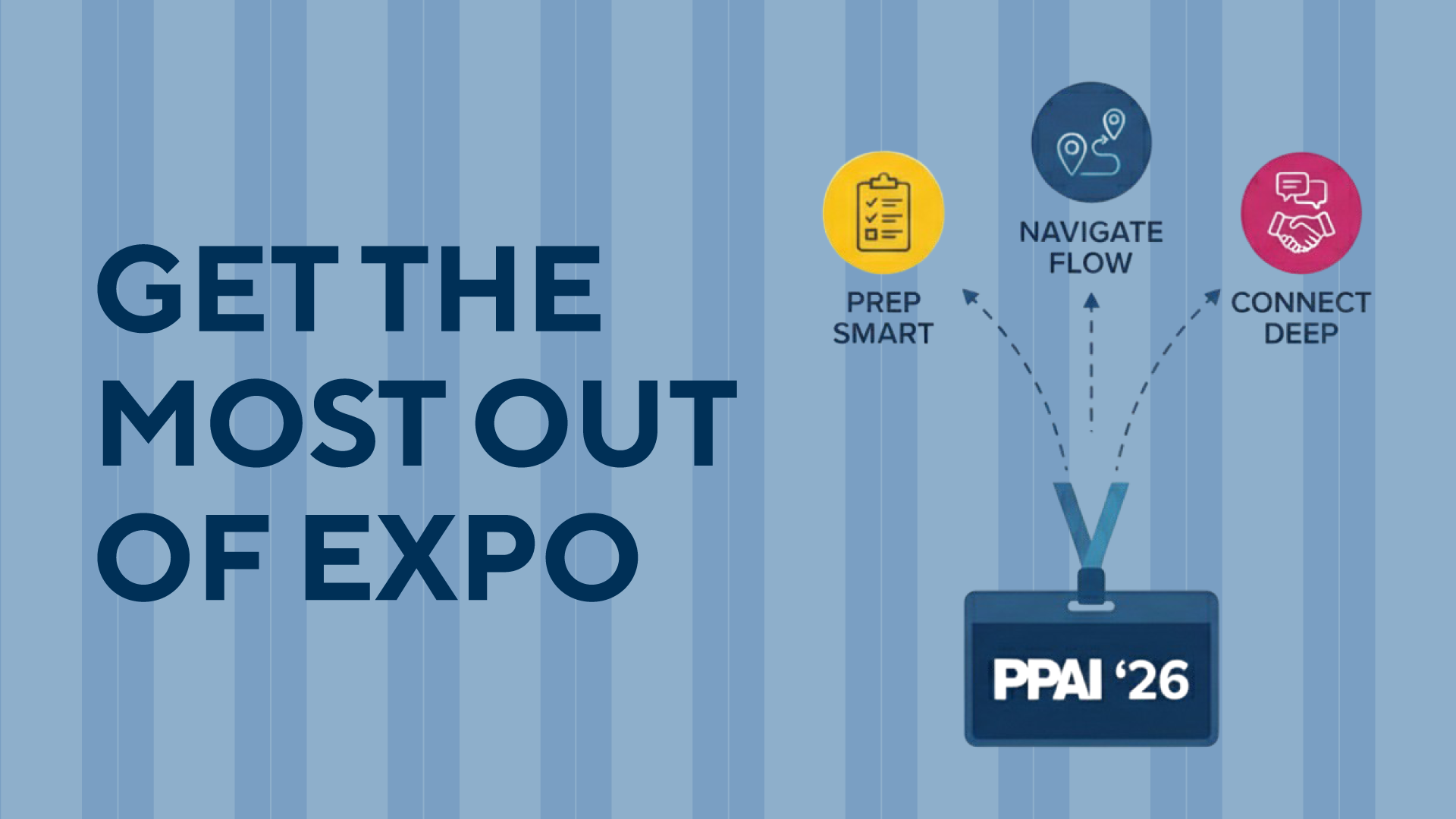
Here are 3 ways to make commonsku your secret weapon at PPAI Expo 2026.
1. Use Your Supplier Spend Report to Prioritize Relationships
There are 1,200+ exhibitors at Expo. Attempting to visit them all is how you end up delirious at an apparel booth at 4 PM, wondering if you've already been there. (You have. Twice.)
So, where do you actually focus your time, especially if you're on the search for your most critical partners?
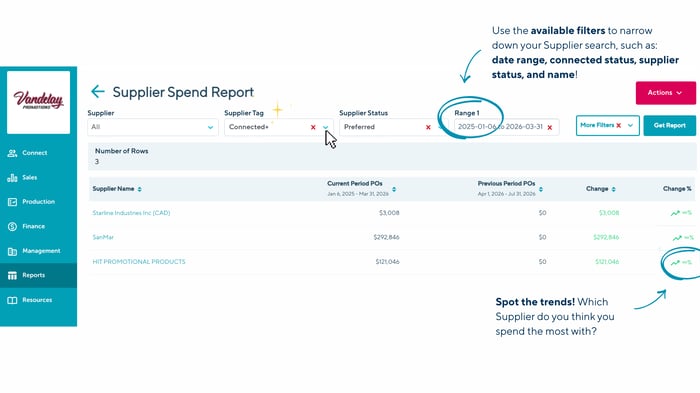
Your Supplier Spend Report gives you the answer. This report shows exactly which suppliers you're spending the most money with and where you might be approaching major spending milestones.
Why Spend Reports matter at Expo
- Strengthen your top relationships: If you're already spending serious money with a supplier, Expo is the perfect time to sit down with your rep and discuss your pricing, exclusive access to new products, or preferred production timelines.
- Negotiate at the right moment: Approaching a volume milestone? Use Expo to open conversations about tier upgrades or improved payment terms. You've earned it, and coming with clear data will strengthen your argument.
- Identify gaps: Maybe you're over-relying on one or two suppliers. The report can help you spot opportunities to diversify and build new partnerships on the show floor.
How to use the Spend Report
Click into your Dashboard (Sales, Production, Finance, or Management), scroll down to the reports bar, and select Supplier Spend. Filter by date range (the last 12 months is a solid baseline), then click Get Report.
Sort by total spend to see who's getting the most of your budget (Screenshot it or print it). When you're walking the floor, you'll know exactly which booths deserve your attention—and you'll have the data to back up any pricing conversations.
The Supplier Spend Report is a feature exclusively available to our Advanced and Enterprise teams. Want to unlock these insights for your business?
Reach out to your Customer Success Rep to learn more!
2. Create a "Best New Product of 2026" Marketing Shop
The classic Expo move: See a product. Take a photo. Take another photo of the spec sheet. Write down the sku (somewhere?). Grab a catalog. Move to the next booth. Repeat 847 times. Get home. Open your camera roll. Stare at an ocean of identical-looking photos. Do nothing with any of it.
Total waste.
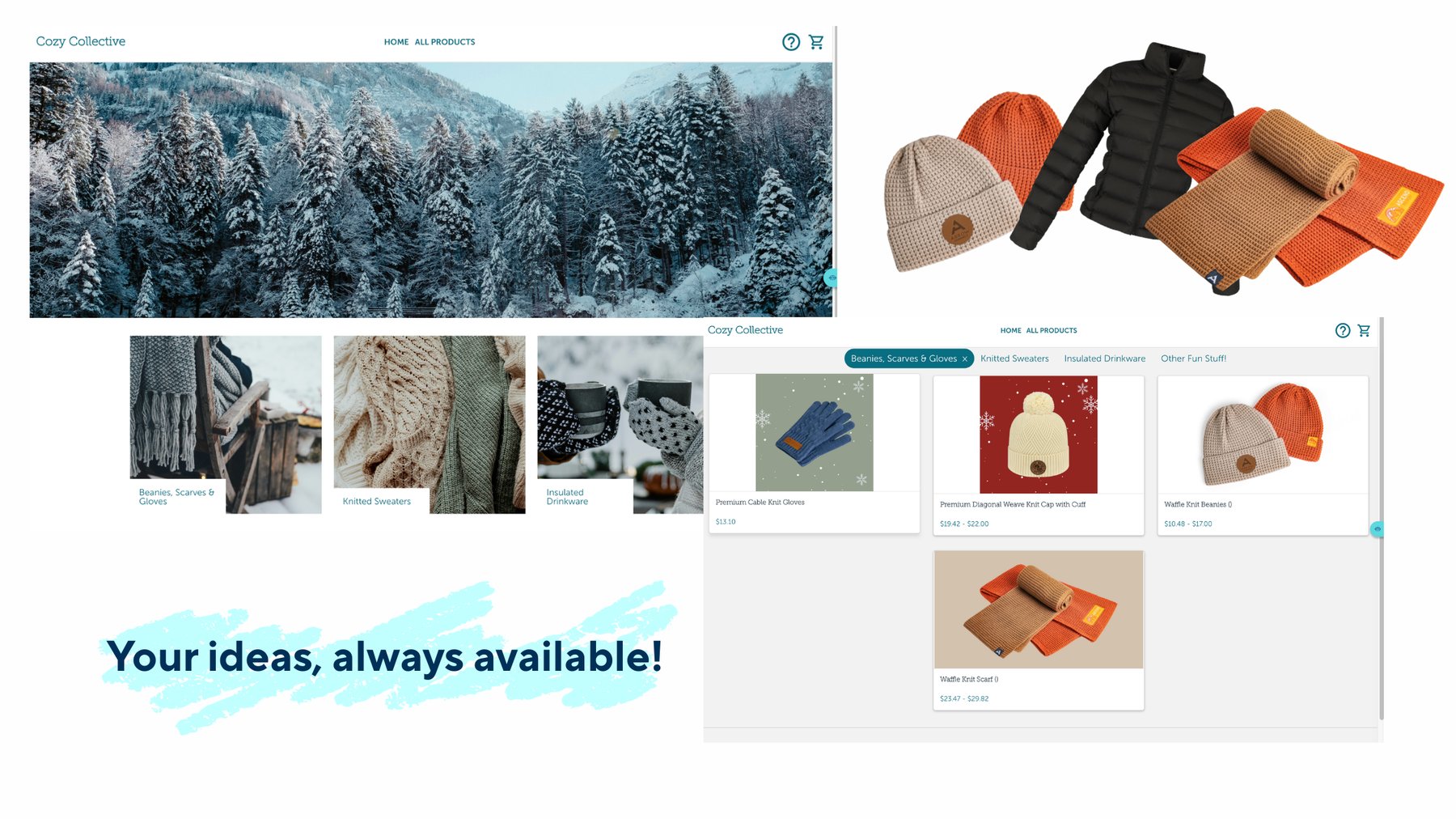
The better move: Create a Marketing Shop called "Best New Products of 2026" (or whatever name works for you). As you walk the show floor and spot products you love, add them directly to this Shop using commonsku's product search integrations.
Why a Marketing Shop beats taking notes or creating a regular Project
- You can send it to multiple clients: Once Expo wraps, you've got a ready-made "Here's What's New for 2026" lookbook that you can share with as many clients as you want.
- It's beautifully branded: Marketing Shops are designed to wow clients with clean layouts, custom themes, and professional presentation. Way better than forwarding a bunch of supplier PDFs.
- Orders happen with a single click: When a client wants to proceed with any item, it automatically creates a project in commonsku. No re-keying product details. No copying specs into a new presentation. This means that everything you added at Expo is seamlessly integrated into order fulfillment with a single click.
- It's dynamic and stays up to date: Unlike a PDF or slideshow that goes stale the moment you send it, your Marketing Shop continues to work. Send your clients the link on Day 1 of Expo, and they can watch new products appear in real-time as you add them throughout the show. It's like they're walking the floor with you (minus the sore feet).
- Clients can browse on their own time: They don't need to schedule a meeting with you. They can explore your curated finds whenever they want, bookmark their favorites, and reach out when they're ready.
Pro tip: Organize your Shop by category (Apparel, Drinkware, Tech, Eco, etc.) so clients can navigate easily. And don't forget to add notes about why you picked each product, because that personal touch makes all the difference.
3. Use AI Recommendations for Comparable Products
You're at Expo. You find a product. It's perfect. Your client is going to love it. Except—hold on.
Do they only buy eco-friendly products? Or was it USA-made they cared about? Or do they hate that decoration method? Or maybe they'd want this but in a different material or their brand color?
This is where AI Product Recommendations becomes your on-the-ground research assistant.

How it works
commonsku's AI Recommendation tool analyzes your client's purchase history, the project type, and even the project name to suggest products that would be of most interest to your client. So if you spot a cool tumbler at a supplier booth but your client only buys eco-friendly merch, you can pop open commonsku, check AI Recommendations, and instantly see comparable products that match their preferences.
Why AI Recommendations matter at Expo
- You're not starting from scratch every time: commonsku's AI capabilities are already working with your client data, so you're getting tailored suggestions—not generic results.
- Speed matters: Instead of saying "Let me get back to you on that," you can text your client options from the show floor. That's the kind of speed that wins repeat business.
- You maximize learning: Expo is overwhelming. AI Recommendations helps you process what you're seeing faster, so you can spend more time discovering new products instead of second-guessing your choices.
How to use AI
When you're building presentations or adding products to your Expo Inspo Shop, click the AI Recommendations button. The system will pull suggestions based on your client's past merch projects and preferences, giving you smart alternatives and complementary products in seconds.
Bonus: Stay Connected After Expo with the skummunity Forum
Expo isn't just about products, it's about people. You'll meet distributors facing the same challenges, suppliers with innovative ideas, and industry pros who "get it."
But here's the problem: Once Expo ends, those connections fade. Business cards get lost. LinkedIn requests go unanswered. And by February, you've forgotten half the conversations you had.
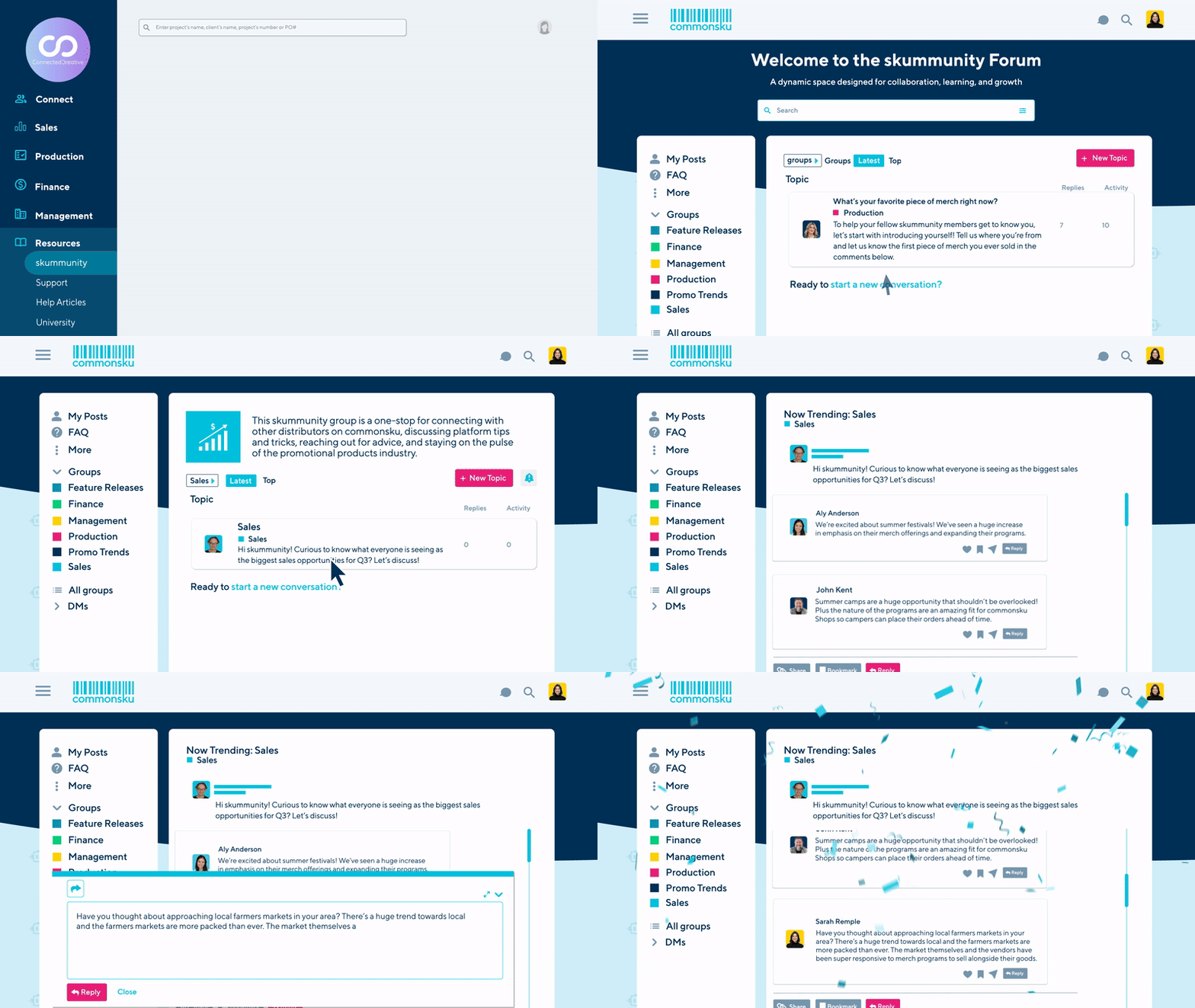
Enter the skummunity Forum: commonsku's exclusive community of 2,000+ distributors and suppliers. It's where the Expo energy doesn't have to die.
How to use it post-Expo
- Send DMs to people you met: If someone mentioned they use commonsku, look them up in the Forum and continue the conversation. Ask them about their workflow, share recommendations, or just stay in touch.
- Join groups of like-minded pros: Whether you're focused on sustainability, corporate gifting, or scaling your operation, there's a group for it.
- Ask the questions you didn't get to at Expo: Wondering how other distributors handle a specific client challenge? The Forum is where you get real answers from real people.
The skummunity is built for collaboration, not competition. It's where distributors share what's working, troubleshoot what isn't, and keep learning long after the show floor lights turn off.
The Bottom Line
PPAI Expo is one of the biggest opportunities of the year to see new products, build supplier relationships, and bring fresh ideas back to your clients. The difference between a decent Expo and a game-changing one? It's not luck.
It's strategy.
- Use your Supplier Spend Report to focus your time on your top priorities.
- Build a Marketing Shop to turn Expo finds into client-ready catalogs.
- Lean on AI Product Recommendations to get smarter in real time. And keep the momentum going with the skummunity Forum.
That's how you turn 3 days in Vegas into 12 months of competitive advantage.
Heading to Expo? Make sure you're leveraging commonsku's full suite of features to make the most of your time.
Not using commonsku yet? Book a demo and see how a connected workflow platform can transform the way you work at Expo and beyond.
RELATED RESOURCES